Branding Resources
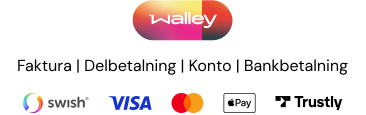
The Walley Checkout badge is a small trust signal you can display on your site — a Walley logo paired with an illustrative set of payment method icons. Placing it on product pages, in your footer, or near the checkout button tells customers that Walley Checkout is available.
The badge is a static image — the icons shown are illustrative of what's typically offered in that market, not a live or personalized list of the methods available to a given customer. For a dynamic display that adapts to country, cart amount, and your Walley configuration, use the Payment method logos widget instead.
Resource location
All badges are delivered as SVG, so they scale to any size without quality loss. They follow this URL pattern:
https://cdn.walleypay.com/logo/walley-checkout-badge-{locale}-{variant}.svg
Example:
https://cdn.walleypay.com/logo/walley-checkout-badge-sv-SE-color-on-light.svg
Each badge is a vector SVG with an intrinsic viewBox of 366 × 115 (aspect ratio ≈ 3.2 : 1). File size depends on the variant and locale: color variants are ~80–110 KB, mono variants ~20–55 KB. Because it's vector, it renders crisply at any size — use the max-width guidance in the snippet below rather than matching intrinsic pixels.
We recommend linking directly to the CDN URL. Walley occasionally updates the artwork (for example, when adding a payment method), and direct linking means your site picks up the new version with no deploy on your side. If you must self-host — CSP restrictions, procurement rules, or offline/print contexts — be aware you'll need to re-fetch when we update the artwork.
Preview
Preview a badge for any supported locale and variant, and copy a ready-to-paste snippet.
<img
  src="https://cdn.walleypay.com/logo/walley-checkout-badge-sv-SE-color-on-light.svg"
  alt="Betala med Walley — faktura, kort, Swish med mera"
  style="max-width: 240px; height: auto;"
/>
Accessibility
Screen readers announce the alt attribute in place of the image, so use it to convey what the badge communicates visually. Set a description that names the market's notable local payment method, and write it in the language of the surrounding page (which will usually match the badge locale):
| Locale | Suggested alt text |
|---|---|
sv-SE | Betala med Walley — faktura, kort, Swish med mera |
en-SE | Pay with Walley — invoice, card, Swish, and more |
nb-NO | Betal med Walley — faktura, kort, Vipps med mer |
fi-FI | Maksa Walleylla — lasku, kortti, MobilePay ja muut |
sv-FI | Betala med Walley — faktura, kort, MobilePay med mera |
da-DK | Betal med Walley — faktura, kort, MobilePay og flere |
Example:
<img
  src="https://cdn.walleypay.com/logo/walley-checkout-badge-sv-SE-color-on-light.svg"
  alt="Betala med Walley — faktura, kort, Swish med mera"
  style="max-width: 240px; height: auto;"
/>
Automatic dark mode
To switch between the light and dark variants based on the user's system preference, use a <picture> element:
<picture>
  <source
    srcset="https://cdn.walleypay.com/logo/walley-checkout-badge-sv-SE-color-on-dark.svg"
    media="(prefers-color-scheme: dark)"
  />
  <img
    src="https://cdn.walleypay.com/logo/walley-checkout-badge-sv-SE-color-on-light.svg"
    alt="Betala med Walley — faktura, kort, Swish med mera"
    style="max-width: 240px; height: auto;"
  />
</picture>
Variants
Four variants are available. Pick the one that contrasts best with your surroundings.
| Variant | When to use |
|---|---|
color-on-light | Light backgrounds. Colorful gradient Walley logo + payment methods. The default. |
color-on-dark | Dark backgrounds. Colorful logo tuned for contrast against dark surroundings. |
mono-on-light | Light backgrounds where you want a single-color badge (e.g. monochrome print or minimalist UI). Black logo. |
mono-on-dark | Dark backgrounds where you want the logo and payment methods rendered in a single color. White logo. |
Countries and locales
The country code in the URL controls two things inside the badge:
- The language of any text rendered inside the SVG.
- Which payment methods appear as icons — these reflect the typical set available in that market (e.g. Walley invoice variants differ by market), but are not filtered per customer or cart.
Currently available:
| Code | Market |
|---|---|
sv-SE | Sweden — Swedish |
en-SE | Sweden — English |
nb-NO | Norway — Norwegian Bokmål |
fi-FI | Finland — Finnish |
sv-FI | Finland — Swedish |
da-DK | Denmark — Danish |
Today, English is only offered for the Swedish market (en-SE). For pan-Nordic rollouts, use the local-language variant in each market.
Delivery
The badge is served from cdn.walleypay.com, a globally cached CDN. CORS is open (Access-Control-Allow-Origin: *), so the asset can be used cross-origin from <img>, <picture>, and fetch() contexts.